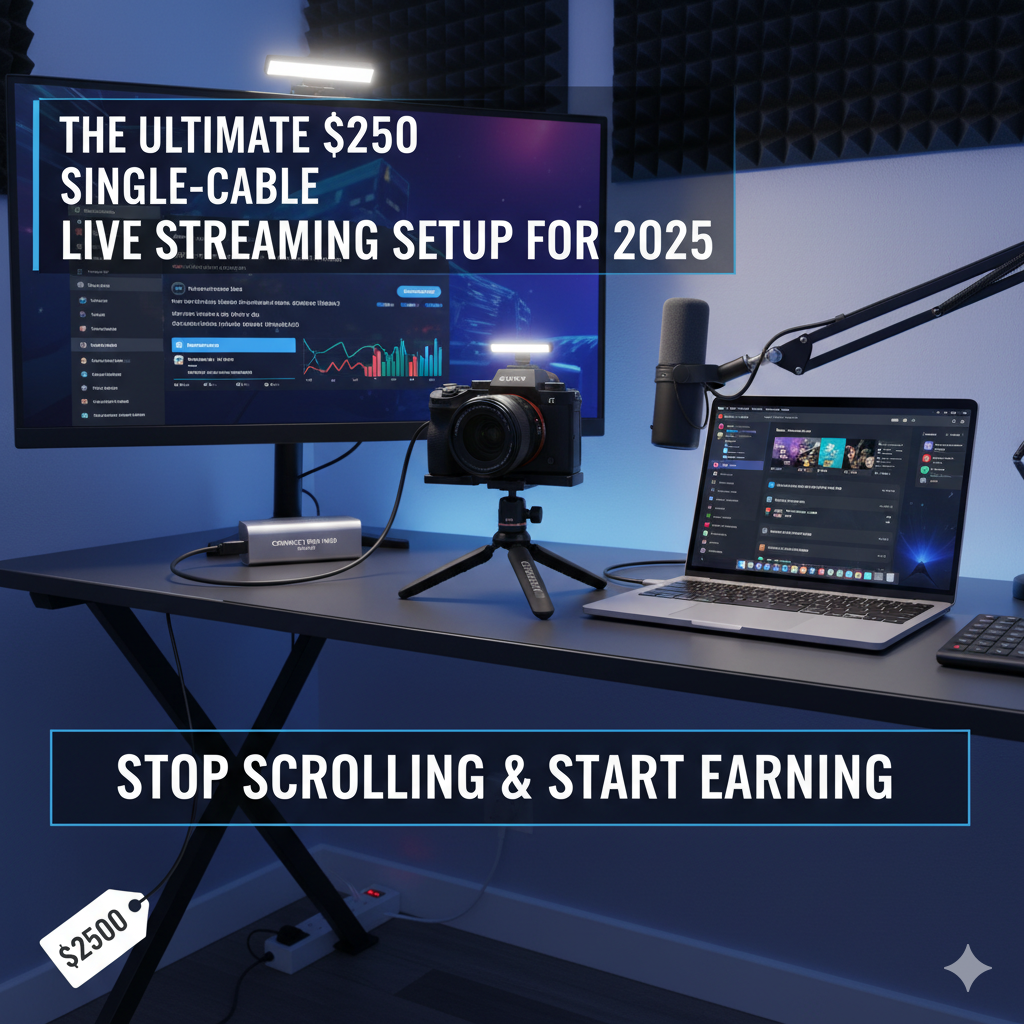
You are currently looking at what we believe is one of the cleanest, most efficient live stream setups the world has to offer. In this comprehensive guide, we are going to break down every single component so that you can replicate this professional standard.
The coolest thing about this entire operation? It is powered by a single cable.
If you have been wasting hours every day scrolling through Reels and Shorts, watching others make money while you gain nothing, it is time to stop. We are here to urge you to take that time and invest it in yourself. With the right setup and the right platform, you can turn your charisma into a significant income stream.
At Livestreamingguide, we have over 50 years of combined experience in the broadcasting and digital media space. We understand the pain of complicated tech, and we know the freedom of a setup that just works. If you get stuck at any point, do not worry—we are here for you day and night.
The Heart of the Operation: MacBook Pro M2/M3
The "brains" of this entire streamlined operation is the MacBook Pro (14-inch) equipped with the Apple Silicon M2 Pro (or the newer M3) chip.
We cannot stress enough how vital this piece of hardware is. Without getting too nerdy, the Apple Silicon chips (M1, M2, M3) contain dedicated media encoders that handle video processing effortlessly. This laptop does absolutely everything you need it to do without breaking a sweat or spinning up loud fans that ruin your audio.
The Display Setup
To extend the desktop capability, we recommend a simple, inexpensive 1080p monitor. You do not need a 4K monitor for your secondary display. This monitor is powered and receives its video signal via a single Thunderbolt cable.
Why a secondary monitor?
If you pack up for the day, you simply unplug one cable, close the laptop, and leave. When you return to earn money, you plug in one cable, and your entire studio comes to life.
Recommended Peripherals
For a clean desk, wireless is key. We swear by the Logitech MX Series.
| Product | Model | Why We Love It |
| Keyboard | Logitech MX Keys | Silent, tactile, and backlit. Perfect for typing in chat without clicky noises. |
| Mouse | Logitech MX Master 3S | Ergonomic and customizable. The silent click version is essential for streamers. |
Lighting: The "Beginner-Proof" Professional Look
Lighting is not just about being seen; it is about Authority. If you look professional, viewers trust you, and on platforms like Poppo and Vone, trust equals revenue.
Our light setup consists of three simple pieces designed to keep your floor clear and your room looking tidy.
| Component | Product Recommendation | Function |
| The Mount | Desk Clamp Mount | Clamps to the desk edge. Keeps legs off the floor, making the room feel bigger. |
| The Light | Amaran 60d | A daylight-balanced LED.[1][2] It is "beginner-proof" because you cannot accidentally set the wrong color temperature. |
| The Modifier | Aputure Light Dome SE (Softbox) | Creates a large, soft light source. Soft light wraps around your face, hiding blemishes and making you look high-status. |
Pro Tip: Unlike messy floor stands that clutter your room, a desk mount allows you to move your desk freely if it is on wheels. This specific light (Amaran 60d) is punchy enough to be your main key light but small enough to not dominate your space.
The Visuals: Sony FX30 & Sigma 16mm[3]
This is where the magic happens. The camera body we use is the Sony FX30.[4]
At the time of writing, this camera body (with the XLR top handle) comes in at around $2,200. We know this is an investment, but take it from us: if you buy this camera, you will not have to buy another camera again. It is a cinema-line camera, meaning it is built for video first, not photography.
The Lens: Sigma 16mm f/1.4
Paired with the FX30 is the legendary Sigma 16mm f/1.4 DC DN lens.
The "Single Cable" Magic
In the past, to get a professional camera working as a webcam, you needed:
With the Sony FX30, you need none of that.
Sony has integrated technology that allows you to plug a single USB-C cable from the camera to your MacBook.
You simply open your streaming software, select "Sony FX30" as your Camera and your Microphone, and you are live.
Audio: Broadcast Quality with the Shure SM7dB
Audio is more important than video. If people cannot hear you clearly, they will leave your stream immediately.
The microphone we use in this setup is the Shure SM7dB.
You simply plug an XLR cable from the mic directly into the Sony FX30's top handle. The camera processes the audio and sends it to the computer via that single USB-C cable we mentioned earlier. It is the cleanest, most streamlined audio setup in existence.
The Mic Arm
We use the Elgato Wave Mic Arm LP (Low Profile).
The Desk: Flexibility is Key
To tie this all together, we recommend a Sit/Stand Desk on Wheels.
In the video transcript, a "Husky Workbench" from Home Depot was mentioned for its wood tones and warmth. Whether you choose a white minimal desk or a wood workbench, ensure it has:
How to Monetize This Setup
You have the gear. You look like a million dollars. Now, where do you stream to actually earn that money?
Stop wasting your talent on platforms that pay you pennies. We recommend two specific apps depending on your target audience. These apps allow you to earn direct revenue from gifts and viewers.
For International Creators (Outside India)
Poppo Live is the leading platform for international streaming. It works seamlessly with the high-quality video feed from this setup (using OBS Virtual Camera or direct input).
| Platform | Action Required | Link |
| Poppo Live | Download & Join | Click Here to Join Poppo Live |
| Start an Agency | Create Agency | Register Poppo Agency Here |
For Indian Creators
Since Poppo is not available in India, the Vone app is the exact alternative. It connects to the same ecosystem but is optimized for Indian users.
| Platform | Action Required | Link |
| Vone Live | Download & Join | Click Here to Join Vone |
| Start an Agency | Create Agency | Register Vone Agency Here |
Note: While the apps have slightly different UIs, the earning potential and underlying mechanisms are identical.
We Are Here To Help You
Building a studio and starting a streaming career can feel overwhelming. You might be worried about technical glitches or how to get your first withdrawal from the apps.
Do not struggle alone.
We have built a massive community at Livestreamingguide. If you get stuck with your lighting, your camera settings, or understanding how to maximize your earnings on Poppo/Vone, text us immediately.
| Contact Method | Details | Availability |
| WhatsApp Support | +919560730611 | 24/7 Support |
| Support Topics | Hosting, Agency Setup, Technical Help, Cashout | Always Available |
Stop waiting for the "perfect time." The perfect time was yesterday. The second best time is right now. Get your gear, click the links above to download the apps, and send us a message on WhatsApp so we can guide you to success.
Let’s get you streaming.